Overview
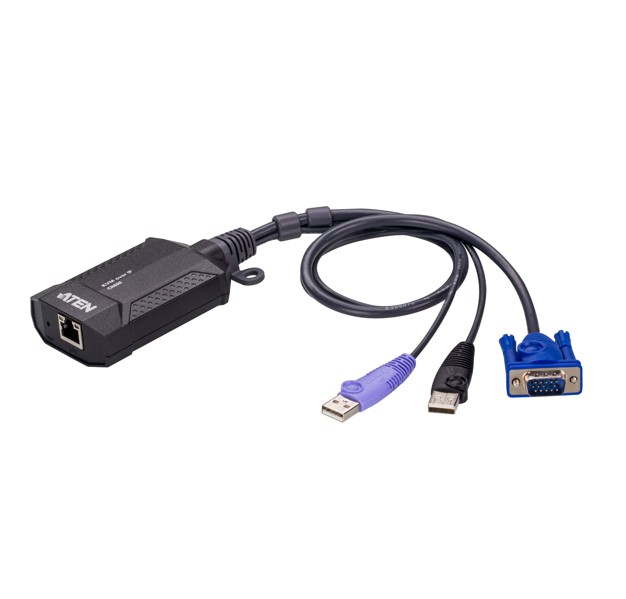
The ATEN CN800 offers superior video quality with HD resolutions up to 1920 x 1200 @ 60 Hz, facilitating easier KVM access. The CN800 USB VGA KVM over IP Mini provides 'over-IP' access control for conventional KVM switches lacking built-in over-IP functionality. It enables system operators to monitor and access computers remotely using Windows and Java-based application programs. The CN800 connects to an intranet, either LAN or WAN simply by using an industry-standard Cat 5e/6 cable and to a target computer or server. WinClient and JavaClient are available for remote access, enabling IP connection and login from anywhere over the internet.
The ATEN CN800 uses the standard TCP/IP protocols for communication. It allows the connected server or computer to be accessed from any computer over the internet – whether that computer is located down the hall, in other areas of the country, or branch offices in other parts of the world. The CN800 provides a fast, reliable, and cost-effective way to remotely access and manage widely distributed multiple computer installations.
Hardware
Provides over-IP capability to KVM switches that do not have built in over-IP functionality
Supports multi-platform server environments: Windows, Mac, Sun, Linux and VT100 based serial devices
Virtual Media Support
High video resolution – up to 1920 x 1200 @ 60 Hz with 24 bit color depth for remote sessions
Enhanced FPS (frames per second) throughput for crisp responsive video display
Bus-powered – no external power adapter required
Management
Up to 64 user accounts
Up to 32 users concurrent logins
End session feature – administrators can terminate running sessions
Event logging and Windows-based Log Server support
Supports instant notification of critical system events via email, SNMP trap, and Syslog
Remote firmware upgradable
Multi-user Mode allows multiple users to gain access to a server simultaneously
Integration with ATEN CC2000 Centralized Management Software
Integration with ATEN CCVSR Video Session Recording Software
DDNS (Dynamic Domain Name System)
Enable / disable browser operation
IPv6 capable
Easy-to-Use Interface
Browser-based and AP GUIs offer a unified multi-language interface to minimize user training time and increase productivity
Multi-platform client support (Windows, Mac OS X, Linux, Sun)
Multi-browser supports (Chrome, Firefox, Safari, Opera)
Browser-based UI in pure Web technology allows administrators to perform administrative tasks without pre-installed Java software package required
Full-screen or sizable and scalable Virtual Remote Desktop
Advanced Security
External authentication supports: RADIUS, LDAP, LDAPS, and MS Active Directory
TLS 1.2 encryption to protect password when users log in
Flexible design allows users to choose any combination of encryption algorithms (e.g. 256-bit AES) or systemgenerated random selection for independent keyboard / mouse, video, and virtual media data encry